
Run your whole restaurant for $99 a month. We never take a cut of your sales.
Point of sale, kitchen display, reservations, inventory, scheduling, loyalty, and online ordering in one system, at one flat price per location.
- Month-to-month, no long-term contract
- Runs on phones and tablets you already own
- Try it alongside your current POS for 30 days

Friday night. Five systems. One of you.
Most independent restaurants pay for a separate tool for every job, and the card processor takes a percentage of every sale on top. The busier you get, the more it costs.
- Card processingTakes a percentage of every sale
- ReservationsAnother login, another bill
- Staff schedulingAnother login, another bill
- Online orderingMarketplace commissions on every order
- InventoryA spreadsheet someone updates by hand
- Card processing: % of sales
- Reservations: monthly
- Scheduling: monthly
- Online ordering: commissions
- Inventory: monthly
One system. One flat price.
Front of house, kitchen, and back office on the same live data. Card payments are processed by Stripe at Stripe's standard rates. HubPlate never adds a percentage on top.
Everything your restaurant runs on.

Close out. Go home.
Sales, labor, and inventory already live in one place, so the end of the night is a report you read, not a project you finish.
Everything your restaurant runs on, in one place.
Front of house, kitchen, and back office share the same live data, so nothing gets re-entered and nothing falls out of sync. One restaurant management system instead of five subscriptions that don't talk to each other.
Run the floor from any device.
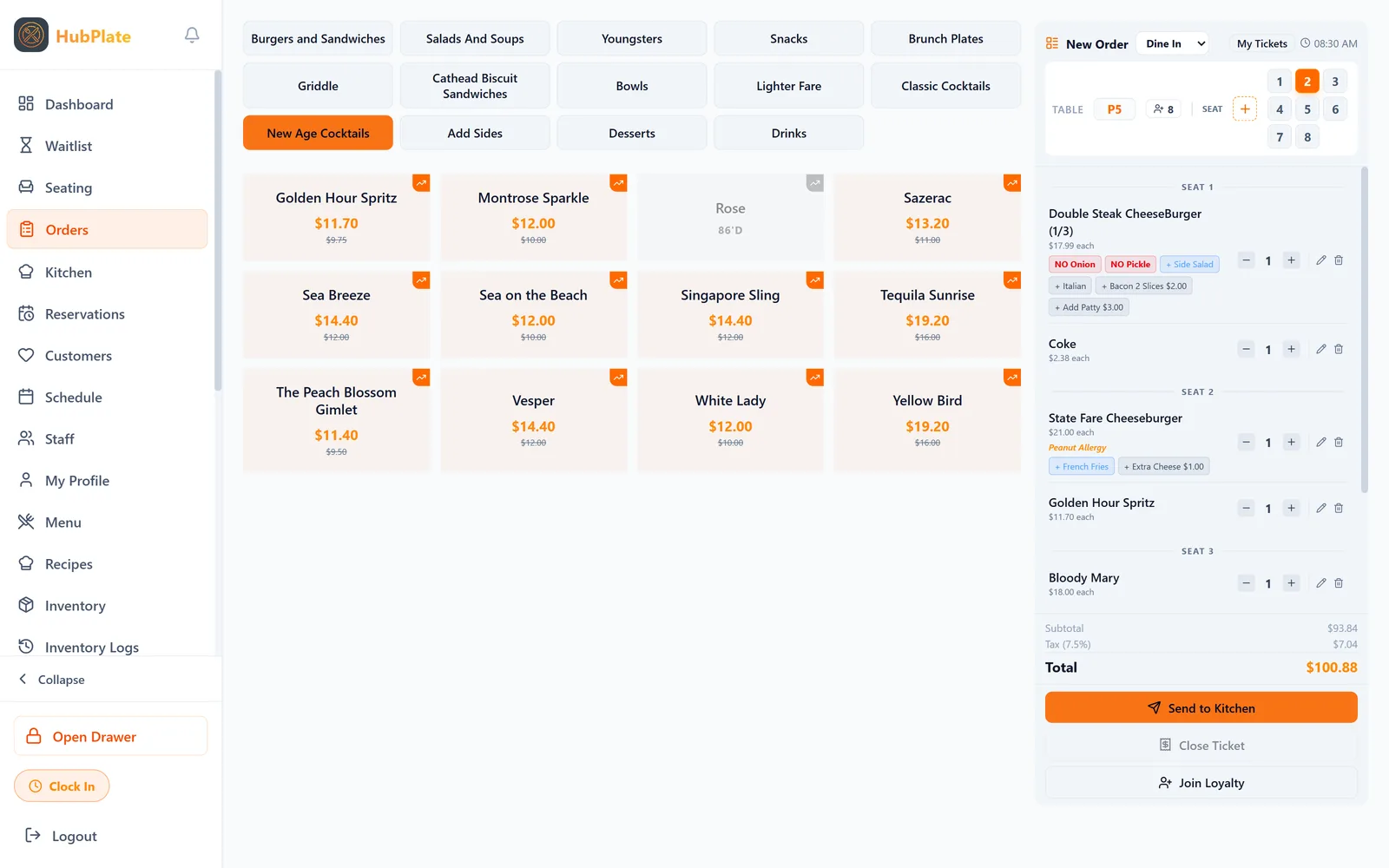
Seat guests, take orders by seat, and settle checks tableside.
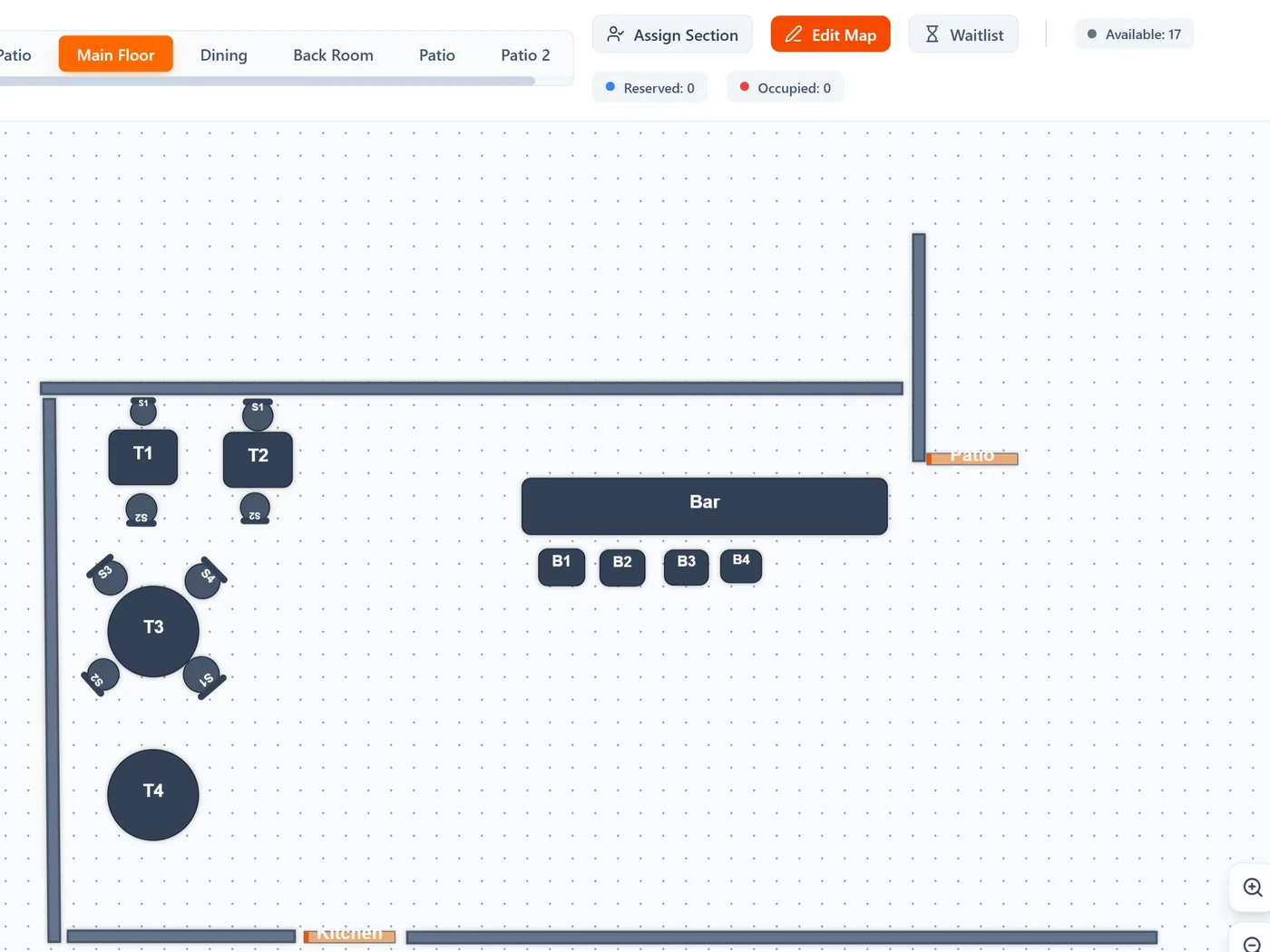
- Drag-and-drop floor plans and server sections
- Reservations and a digital waitlist on one timeline
- Seat-based ordering, splits, and upsell prompts
- Tableside payments by card, NFC, or QR code
Get tickets to the right station instantly.
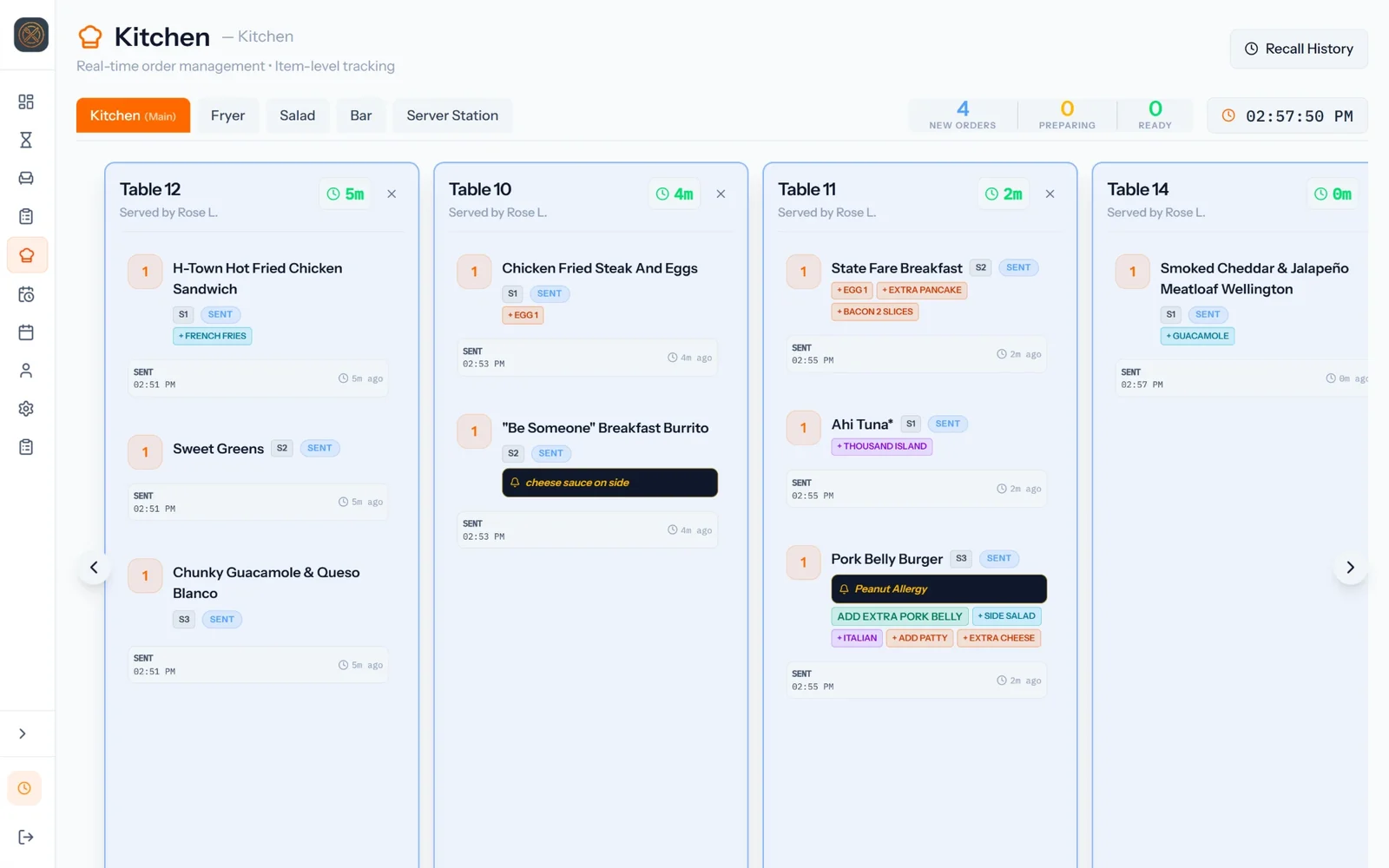
Custom kitchen display screens for every station, from grill to expo.
- Unlimited prep and expo screens
- Items marked ready alert the floor right away
- Ticket timing from order to window
- Fewer verbal calls and lost tickets
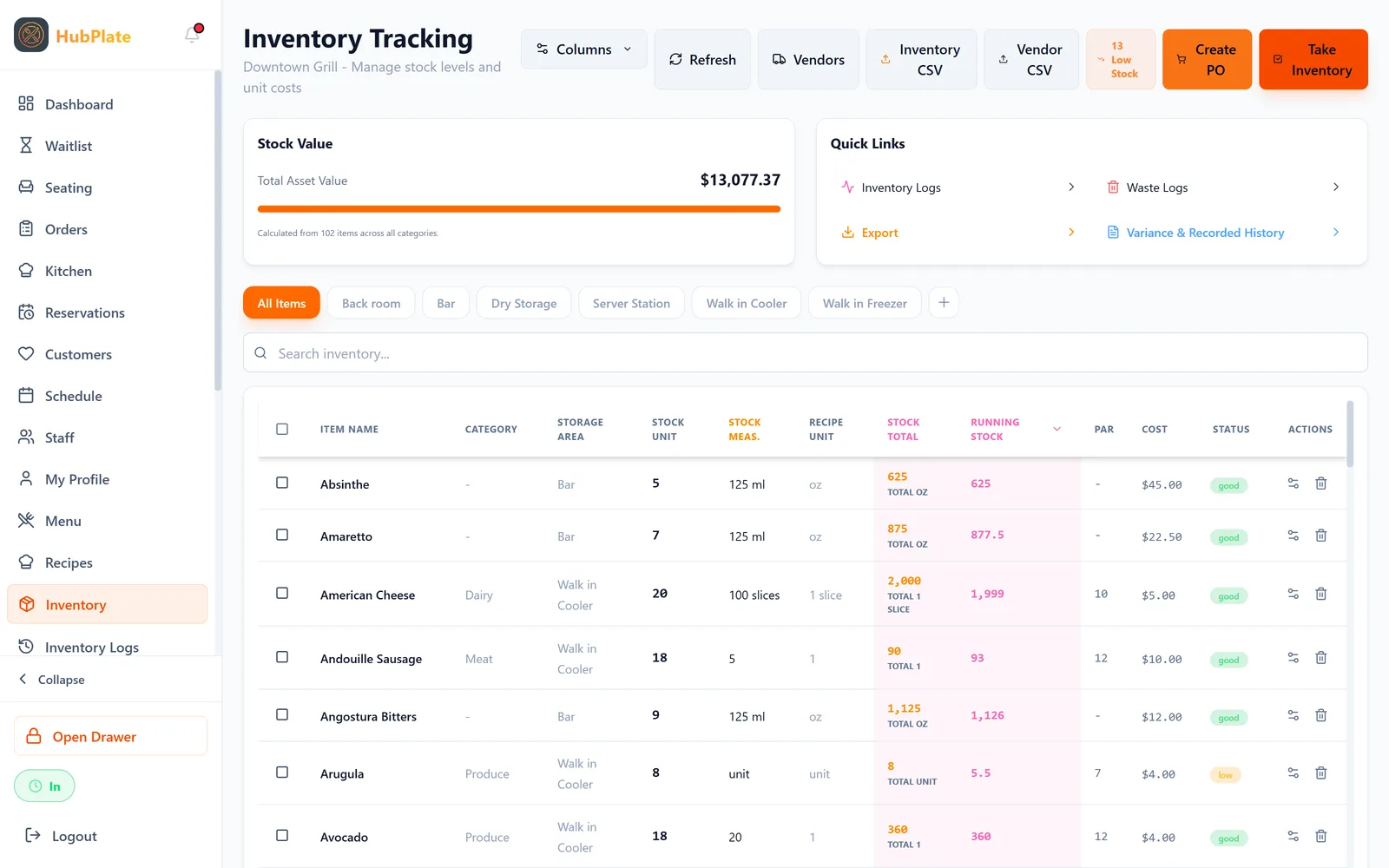
Know your food cost before the invoice arrives.
Recipes link to menu items, so every sale deducts real ingredients.
- Recipe costing down to the ingredient
- Par levels and purchase orders from one vendor hub
- Waste logs your staff can enter from their phones
- Storage locations that match your walk-in and dry storage
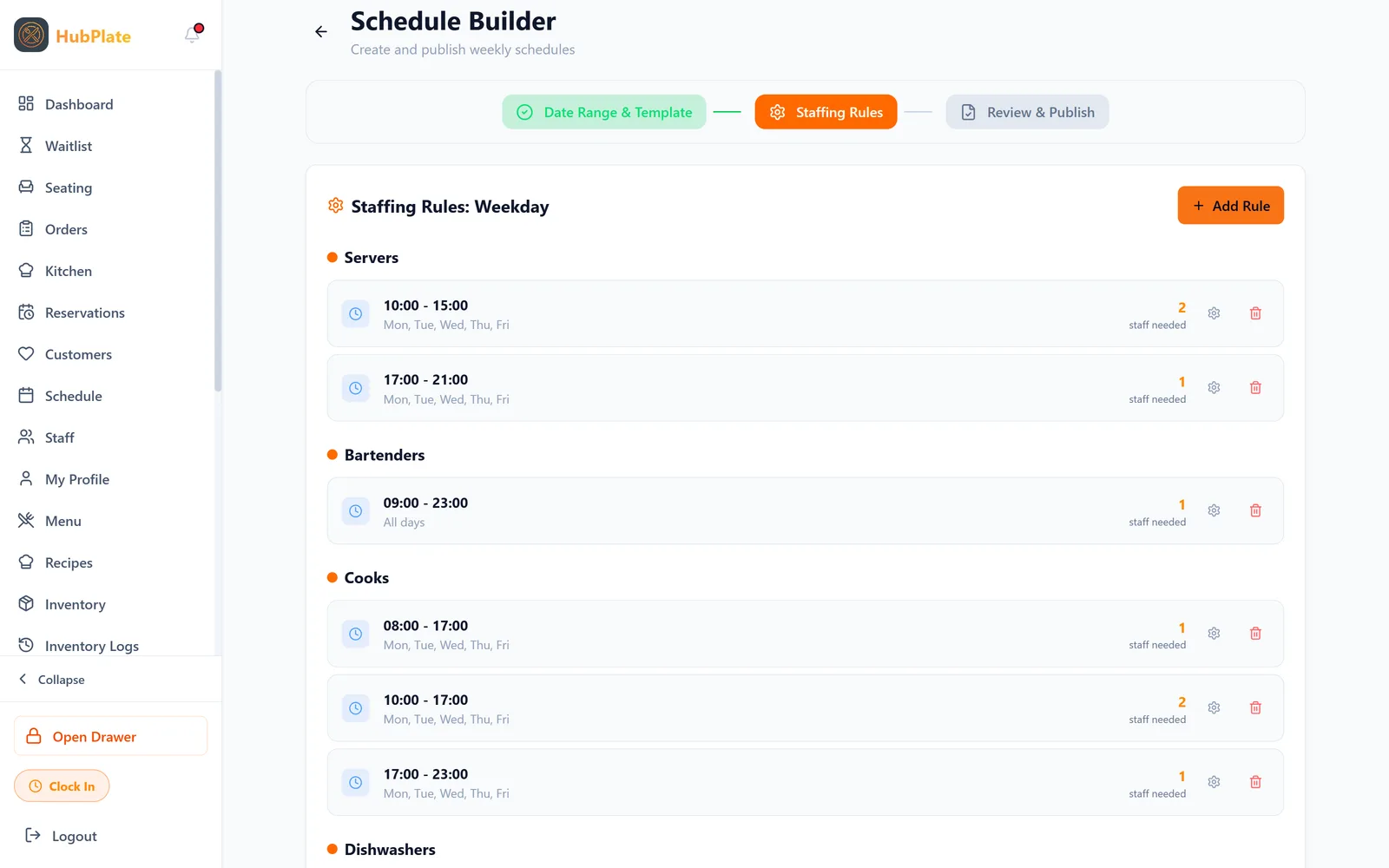
Build schedules around your rules.
Tell HubPlate who you need and when. It builds the schedule around availability.
- Rule-based schedule generation
- Clock in and out from staff's own phones
- Shift swaps and schedule viewing on mobile
- Verified timesheets exported to payroll by CSV
Bring guests back on your terms.
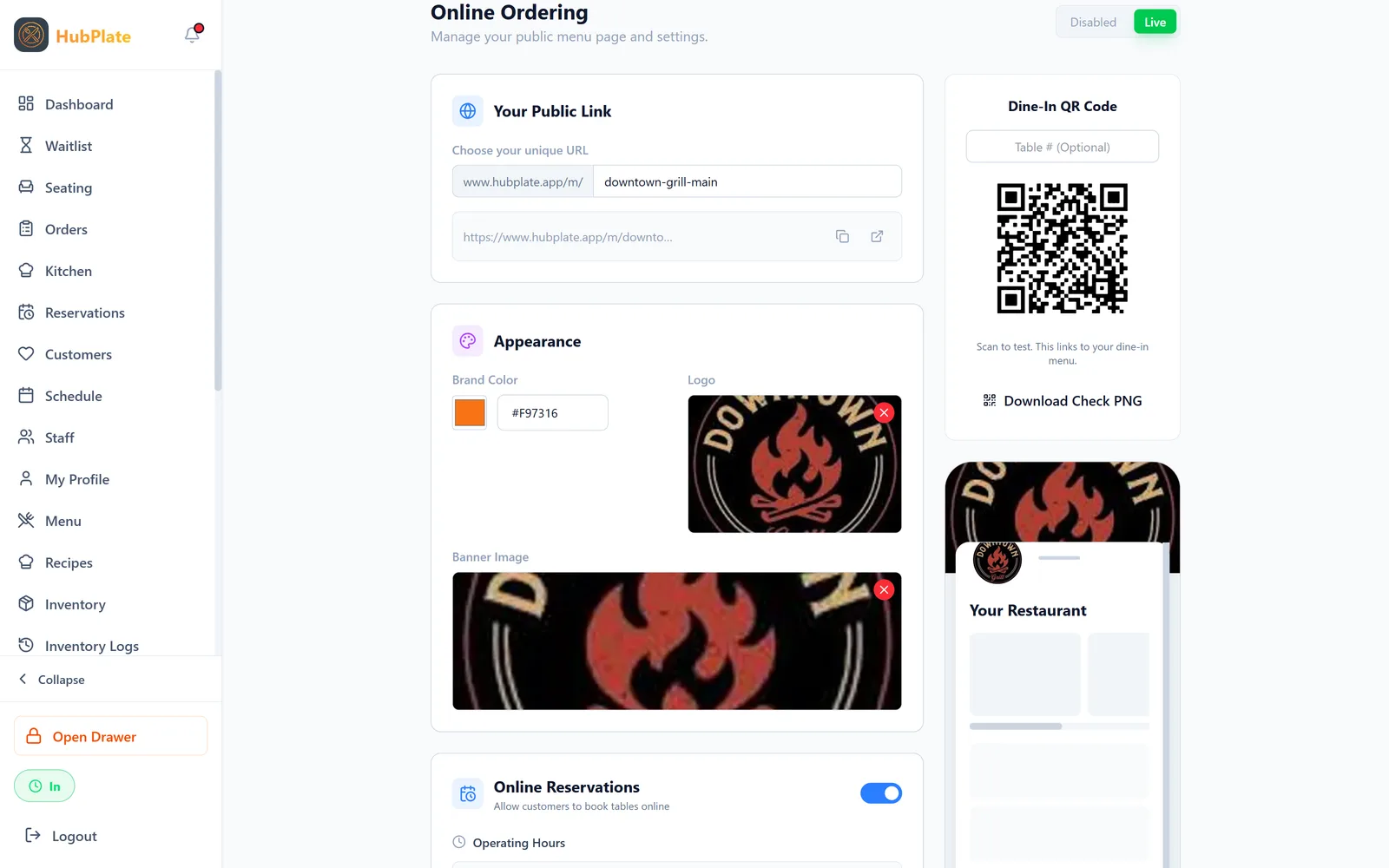
Your own ordering site, loyalty, gift cards, and event tickets, with no HubPlate commission.
- White-labeled online ordering with Uber Direct delivery
- Loyalty points and a built-in guest CRM
- Digital and physical gift cards
- Ticketed events like tastings and chef dinners
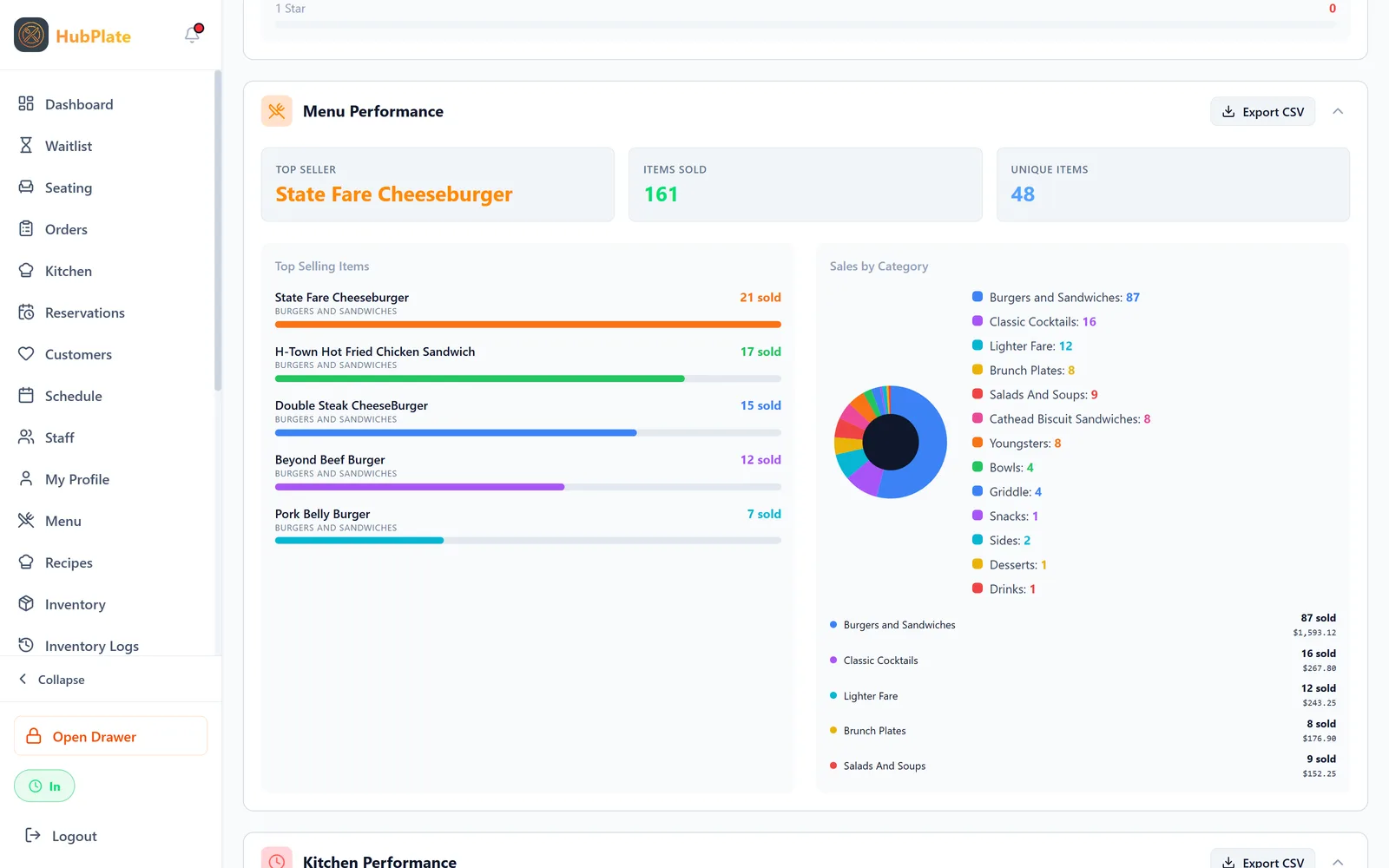
See every location from one dashboard.
Live sales, ticket times, and server performance, without waiting for end-of-day reports.
- Real-time sales and check totals
- Server leaderboards and ticket timing
- Copy menus, recipes, and inventory rules to a new location
- Manager overrides from any device
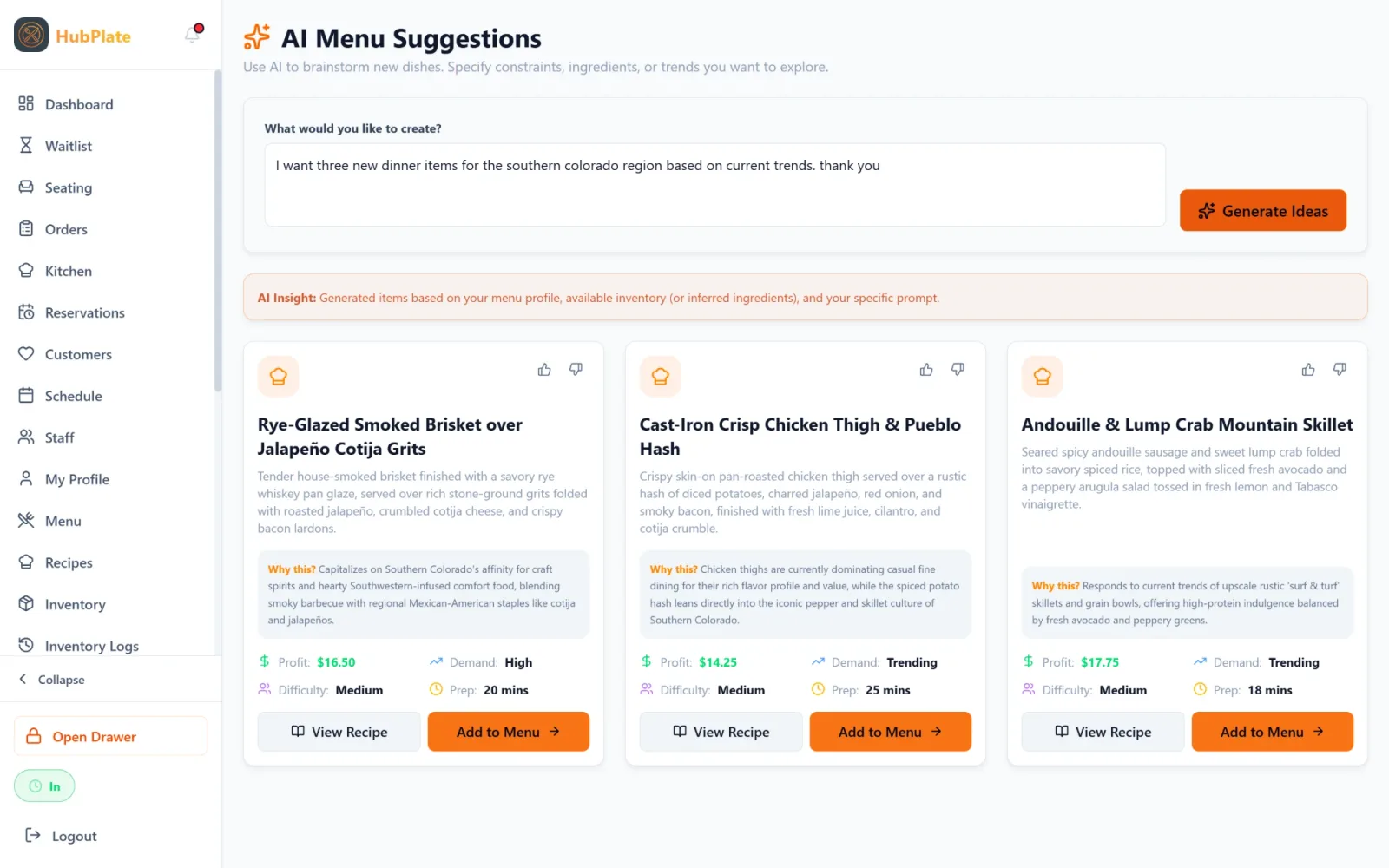
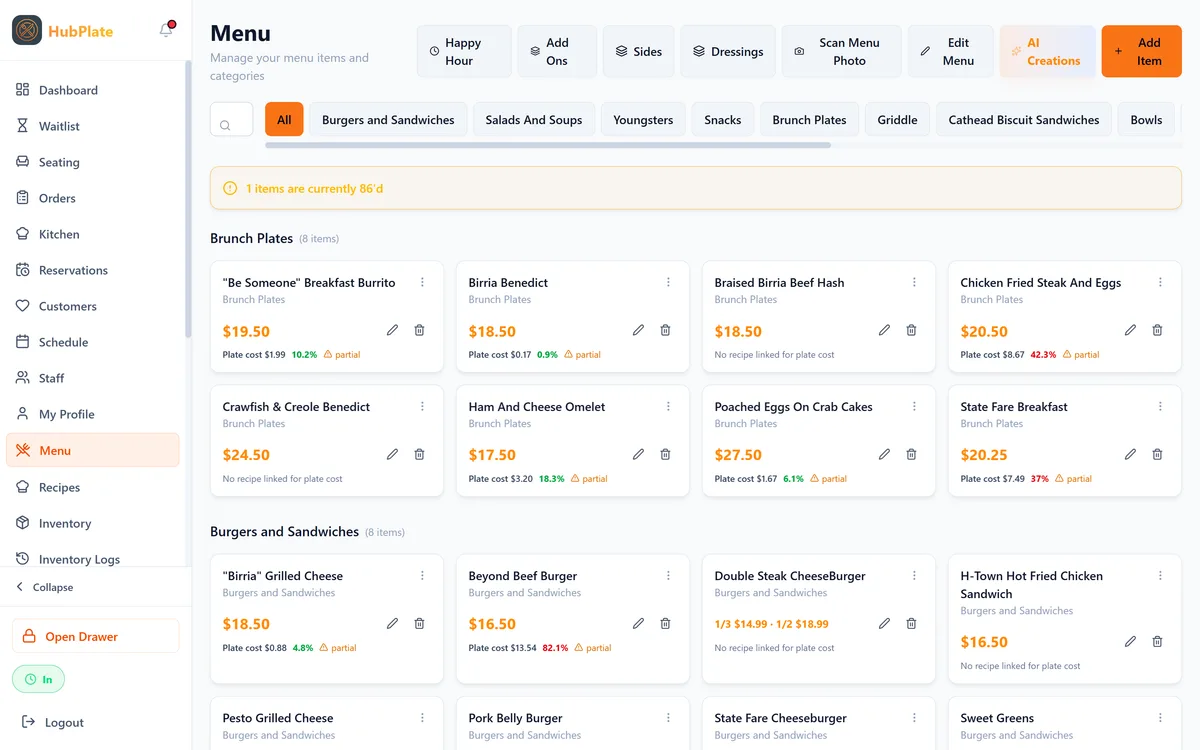
Snap a photo of your menu. HubPlate builds the rest.
Vision AI reads your existing menu and creates items, categories, and modifiers for you to review, so setup doesn't mean days of data entry.
- Menu import from a photo
- Seat maps generated from a photo of your floor plan
- AI menu ideas based on trends and your own sales
Online orders without marketplace commissions.
Guests order from your own branded site. Orders flow straight to the kitchen, and Uber Direct handles delivery when you need it.
- Your brand, your guest data
- Orders land on the same kitchen screens
- Delivery through Uber Direct integration
Use the phones and tablets you already have.
HubPlate runs in the browser on iPad, Android tablets, and phones. No proprietary terminals to buy or return.
- Bring your own device
- Keeps working through internet outages
- Works with standard printers, cash drawers, and Stripe card readers
Tell Claude what you need. It does the work in HubPlate.
Connect your own Claude account to HubPlate and ask in plain English. Claude builds next week's schedule, adds menu items, and sets up pairings and upsells for your servers.
- Draft next week's schedule around staff availability
- Add menu items, categories, and add-ons
- Create pairings and upsell prompts your servers see
- 86 sold-out items and set up happy hour
Claude shows you every change and waits for your yes. Schedules stay drafts until a manager publishes them. Only owners and GMs can connect, and pay and payroll are off-limits.
Example chat
Here's what I'll set up:
- 14 draft dinner shifts, Monday to Sunday, matched to availability
- Pairing: Ribeye with the House Malbec, “The Malbec stands up to the char.”
Nothing changes until you say yes.
Ask Claude about your numbers. Get answers you can act on.
Ask about sales, food costs, and labor costs in plain English. Claude pulls the numbers straight from HubPlate and tells you what they mean for your business.
Sales
How did last week compare to the week before? What are my best and worst sellers this month?
Food costs
Which dishes have the highest food cost? How much did waste cost me this month?
Labor costs
What was my labor % on Saturday? Who brings in the most sales per hour worked?
Answers come from your live HubPlate data, the same numbers you see in your reports.
Example chat
Net sales were $48,210, up 6% from the week before.
- Labor: 31% of sales overall, but 38% on Tuesday. That night had more staff than its sales needed.
- Food cost: 32% overall. The fried chicken plate runs 41% of its price, your highest.
Trimming one Tuesday server shift and raising the chicken plate $2 would bring both closer to your targets.
Built by someone who has worked the floor.
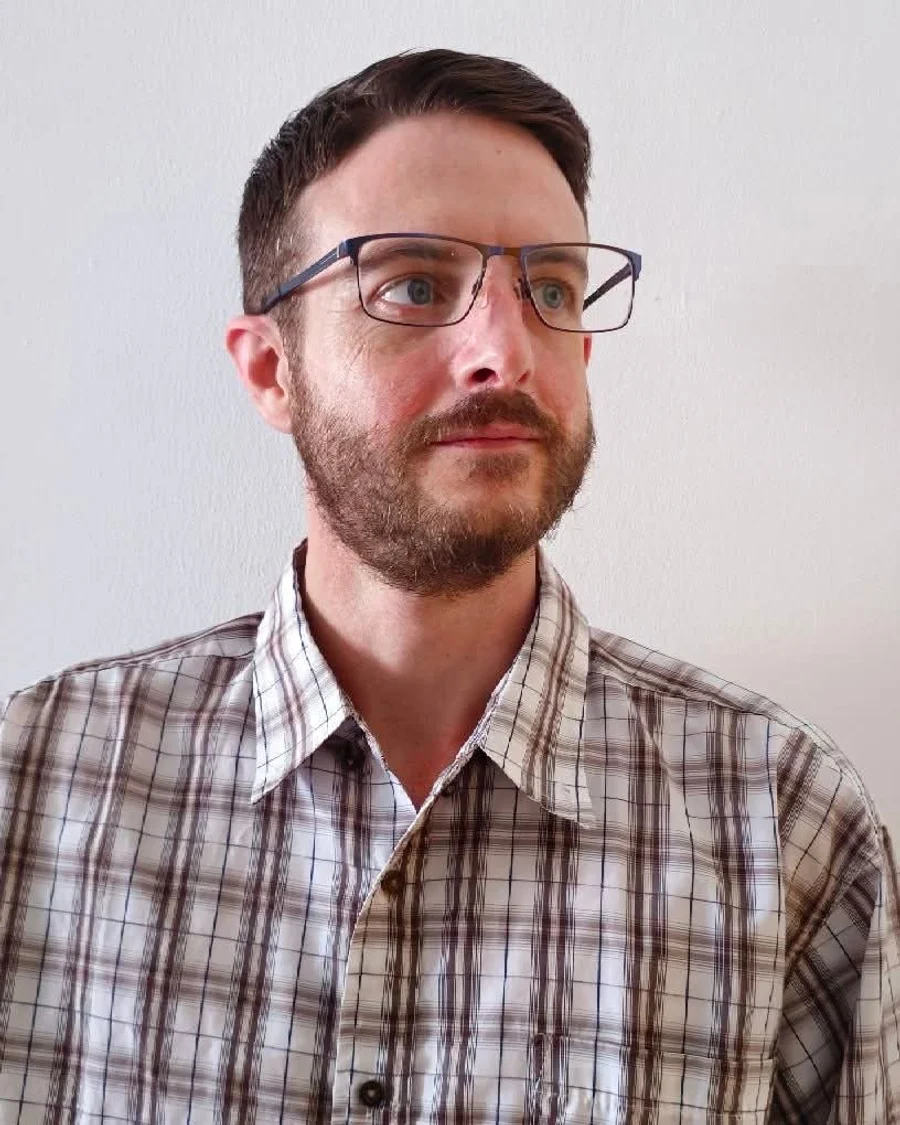
Matthew has worked in the restaurant industry for more than ten years, from dishwasher to cook to server, before building HubPlate. He built it to be the system he wanted on his own shifts: one place to run the floor, the kitchen, and the back office, at a price that doesn't grow every time sales do.
Matthew Kobilan
Founder, HubPlate
Connect on LinkedInSwitching is easier than you think.
You don't have to rip out your current system overnight. Run HubPlate next to it for 30 days, and we'll handle the move when you're ready.
- 1
Book a walkthrough
See HubPlate with your own menu and floor plan in mind.
- 2
We set you up
We import your menu with AI, build your floor plan, and train your team.
- 3
Run it side by side
Use HubPlate next to your current POS for 30 days before you commit.
One price. Everything included.
No tiers, no add-on modules, and no HubPlate transaction fees.
 Check #0001
30-day free trial on either plan. Nothing is billed until the trial ends.
Card payments are processed by Stripe at Stripe's standard rates. HubPlate never adds a percentage on top.
Every feature, on every plan
Front of house
- Visual seating map and floor builder
- Server assignment
- Reservations and waitlist
- Seat-based orders and upselling
- Terminal PIN login
Kitchen
- Custom KDS screens
- Unlimited prep stations
- Live ticket tracking
- Real-time expo
Back office
- Inventory system
- Recipe costing and P&L analysis
- Automated vendor purchase orders
- Deep analytics
Team
- Rule-based scheduling
- Mobile clock-in
- CSV payroll exports
Guests & revenue
- Commission-free online ordering
- Uber Direct delivery integration
- Loyalty program and CRM
- Digital gift cards
- Event ticketing
Platform
- AI menu import and generation
- Multi-location management
- Bring your own device
- Offline mode
- Ongoing support and training
Questions operators ask
Still have questions? Email us
How much does HubPlate cost?
Does HubPlate charge transaction fees?
Do I need to buy new hardware?
Can I try it before I switch?
What happens if the internet goes down?
Is there a long-term contract?
How does setup work?
Can I manage more than one location?
See HubPlate run your restaurant.
Book a short walkthrough and we'll show you exactly how it would work with your menu, your floor, and your team.